Chromebooks have come a long way in recent years, and they’re now an excellent platform for gaming. Whether you’re using one at home, in the office, or at school, multiplayer games on Chromebooks can turn any gathering into an exciting competition. From action-packed battles to strategic team games, there’s something for everyone to enjoy. In this blog, we’ll explore some of the best multiplayer games to play with friends on a Chromebook, both locally and online. For those using school-issued devices, we’ll also highlight a few options for games to play on school Chromebook setups.
1. Among Us
- Type: Online Multiplayer
- Description: A social deduction game where players work together to complete tasks while identifying the impostors sabotaging the mission.
- Why It’s Fun: The blend of strategy, deception, and teamwork makes Among Us a thrilling multiplayer experience. Available on Chromebooks via the Google Play Store, it’s perfect for school friends or family gatherings.
2. Minecraft: Bedrock Edition
- Type: Online or Local Multiplayer
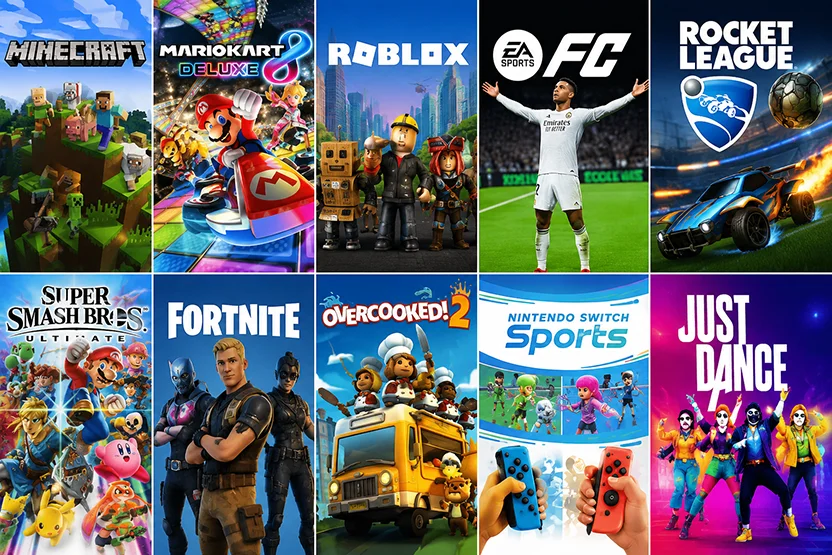
- Description: One of the most iconic sandbox games of all time, Minecraft lets you and your friends build, explore, and survive together in blocky worlds.
- Why It’s Fun: Whether you’re building epic structures or battling mobs in survival mode, Minecraft fosters creativity and collaboration. It’s easy to set up on Chromebooks through the Play Store.
3. Roblox
- Type: Online Multiplayer
- Description: A platform where players can create, share, and play a wide variety of games designed by users worldwide.
- Why It’s Fun: With countless games to choose from, Roblox offers everything from obstacle courses to RPG adventures, making it an endless source of fun with friends.
4. Terraria
- Type: Online or Local Multiplayer
- Description: A 2D sandbox game where players explore, mine, craft, and battle enemies in procedurally generated worlds.
- Why It’s Fun: The cooperative gameplay encourages teamwork as you and your friends fight bosses, build bases, and explore caves. Terraria is Chromebook-compatible through the Play Store.
5. Shell Shockers
- Type: Online Multiplayer
- Description: A browser-based first-person shooter where players take control of egg-shaped characters armed with guns.
- Why It’s Fun: Easy to play on Chromebooks without needing downloads, Shell Shockers is a quick and hilarious FPS that’s ideal for school breaks or casual gaming sessions.
6. Krunker.io
- Type: Online Multiplayer
- Description: A fast-paced, browser-based FPS game featuring various maps and customizable characters.
- Why It’s Fun: Krunker.io runs smoothly on Chromebooks and offers endless hours of competitive fun. Play with friends in private matches or join public lobbies for instant action.
7. Stardew Valley
- Type: Online or Local Multiplayer
- Description: A farming simulation game where players work together to build and manage a thriving farm.
- Why It’s Fun: Chill, cooperative gameplay makes Stardew Valley a relaxing yet engaging choice for multiplayer gaming with friends. Available on Chromebooks via the Play Store.
8. Fortnite (Cloud Gaming)
- Type: Online Multiplayer
- Description: The ever-popular battle royale game where players fight to be the last one standing or team up in creative modes.
- Why It’s Fun: Fortnite’s competitive and creative gameplay shines on Chromebooks via cloud gaming platforms like NVIDIA GeForce NOW. Play with friends in squads or host custom matches.
9. Jackbox Party Pack
- Type: Local Multiplayer
- Description: A collection of party games that players can join using their smartphones as controllers.
- Why It’s Fun: Jackbox Party Pack games are easy to learn and hilarious to play, making them a hit at gatherings. Play locally on a Chromebook connected to a larger screen for the ultimate party experience.
10. Super Animal Royale
- Type: Online Multiplayer
- Description: A top-down battle royale game featuring adorable, weapon-wielding animals fighting for survival.
- Why It’s Fun: The combination of cute graphics and competitive gameplay makes Super Animal Royale a unique choice for multiplayer fun. It’s available on Chromebooks through cloud gaming or the Play Store.
11. Gartic Phone
- Type: Browser-Based Multiplayer
- Description: A drawing and guessing game that leads to hilarious results as players interpret each other’s artwork.
- Why It’s Fun: Gartic Phone is easy to set up on any Chromebook, making it a perfect choice for quick, fun-filled gaming sessions with friends.
12. Goose Goose Duck
- Type: Online Multiplayer
- Description: A Among Us-style game where players act as geese trying to identify the hidden ducks causing chaos.
- Why It’s Fun: Goose Goose Duck brings a quirky twist to the social deduction genre, making it a fun alternative for Chromebook gaming parties.
13. Mahjong 4 Friends
– Type: Online Multiplayer Card / Tile Game
– Description: A free, browser-based version of classic four-player Mahjong where you can set up a private table with friends or drop into an open lobby to play with strangers.
– Why It’s Fun: Mahjong 4 Friends scales perfectly for a Chromebook session — there’s no install, no fiddly account setup, and the slower turn-by-turn pace leaves plenty of room for chatting in voice or text while you play. It’s also a brilliant way to learn the actual rules of Mahjong (rather than the matching tile solitaire most people think of), since the site walks you through the basics on your first hand.
14. Solitaired
– Type: Online Multiplayer Card Games
– Description: A free site for classic card games in the browser, with multiplayer rooms for head-to-head play.
– Why It’s Fun: While solo Solitaire is the obvious draw, the multiplayer side is where Solitaired earns its place on this list. You can play games like Hearts and Yahtzee against each other in real time, no downloads or sign-ups required, which makes it a great fit for Chromebook users who can’t install random apps. Quick rounds, easy rules, and the kind of low-key trash talk that doesn’t get anyone banned from the school network.
How to Set Up Multiplayer Games on Chromebooks
To get started with multiplayer gaming on your Chromebook:
- Install from Google Play Store: Many multiplayer games are available directly from the Play Store, making them easy to download and play.
- Use Browser-Based Games: Games like Krunker.io and Shell Shockers can be played directly in a web browser with no installation required.
- Cloud Gaming Platforms: Services like NVIDIA GeForce NOW and Xbox Cloud Gaming allow you to stream high-quality games, including AAA titles, on your Chromebook.
Games to Play on School Chromebook
For students using school-issued Chromebooks, there are still plenty of options to enjoy multiplayer games without violating device restrictions. Browser-based games like Krunker.io, Shell Shockers, and Gartic Phone are lightweight and accessible, making them perfect for quick gaming sessions during breaks or free time.
Why Multiplayer Games Are Perfect for Chromebooks
Chromebooks are lightweight, affordable, and versatile devices, making them an excellent choice for casual and competitive gaming. Multiplayer games enhance the experience by fostering connection and friendly competition, whether you’re gaming with classmates, coworkers, or family members.
With a growing library of Chromebook-compatible games and the convenience of cloud gaming, there’s never been a better time to explore the world of multiplayer gaming on Chromebooks.
Final Thought
Multiplayer games are a fantastic way to turn your Chromebook into a hub of entertainment. From browser-based classics to cloud gaming marvels, there’s a wide variety of options for you and your friends to enjoy, no matter your interests or skill levels. Whether you’re looking for quick matches during a school break or planning an evening of fun with friends, these multiplayer games deliver hours of excitement.